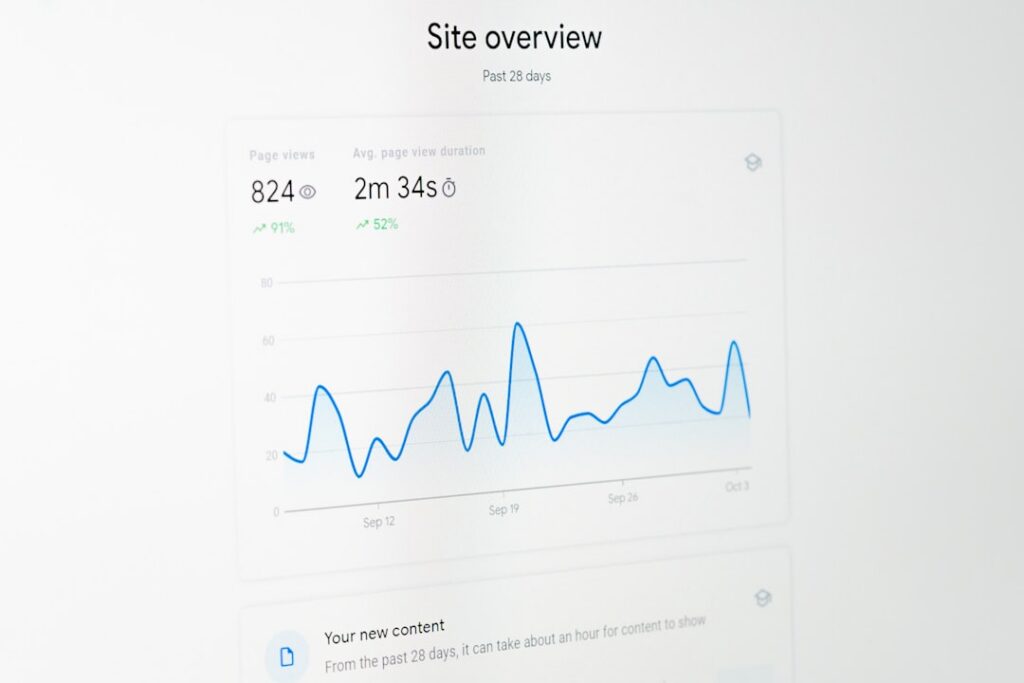
Why You Need an AI Visibility Dashboard
You run a small shop. You tweet, you blog, you post. But do you know how AI sees you? Not really. Enter the ai visibility dashboard. It’s your bird’s-eye view. You’ll track:
- Brand mentions across AI chatbots.
- Sentiment in generative responses.
- Competitor mentions side by side.
No more guessing. Just data. Real data. Clear data. An ai visibility dashboard turns whispers into numbers.
What Is an AI Visibility Dashboard?
Imagine a finance dashboard, but for AI mentions. You know how an accounting dashboard shows your cash flow and margins at a glance? An ai visibility dashboard does that for your brand in AI-powered platforms.
It pulls in:
- Responses from ChatGPT and Claude.
- Mentions on AI-curated news feeds.
- Metrics on generative content performance.
And shows them in one place. No more toggling tabs.
Key Features to Include
Your ai visibility dashboard should be simple but powerful. Aim for these essentials:
-
Real-time tracking
Watch brand mentions pop up as they happen. -
Customisable widgets
Drag, drop, and rearrange panels—no code needed. -
Drill-downs
Click a metric and see the raw AI response that generated it. -
Multi-platform
Track AI mentions on search engines, chatbots, and social feeds. -
Alerts & Reports
Get an email if sentiment drops below zero or if a competitor spikes. -
AI-generated summaries
A quick one-liner overview of your daily visibility trends.
“Why all this?” you ask. Because without context, metrics are just numbers. With these features, each stat tells a story.
Step-by-Step: Build Your Dashboard
Follow this simple path. You’ll have a working ai visibility dashboard in hours, not weeks.
-
Define Your Metrics
– Mentions per day.
– Sentiment score.
– Top keywords in AI responses. -
Choose Your Data Sources
– ChatGPT, Claude, AI news APIs.
– Social listening tools with AI filters.
– Your website’s AI chat logs. -
Gather and Cleanse Data
– Pull raw JSON or CSV exports.
– Remove duplicates.
– Tag each entry with date, platform, and sentiment. -
Select a Visualisation Tool
– Open-source BI tools like Metabase or Grafana.
– Or use our own Maggie’s AutoBlog for automated SEO blogs and chart embeds.
– No coding. Drag-and-drop. -
Build the Dashboard Layout
– Add a metrics panel for total mentions.
– Place a sentiment gauge.
– Embed a word cloud for top AI keywords. -
Set Up Alerts and Reports
– Email alerts for sudden drops.
– Weekly summary report delivered to your inbox. -
Share and Iterate
– Grant access to your team with role-based views.
– Gather feedback.
– Tweak widgets. Adjust your metrics.
By following these steps, you tailor the ai visibility dashboard to your needs. And you stay in control.
Comparing with Traditional Tools
You might know SEMrush, Ahrefs or Google Analytics. They’re great for SEO and web traffic. But they miss the AI twist:
- SEMrush tracks keywords, not conversational AI mentions.
- Ahrefs focuses on backlinks, not generative engine insights.
- Google Analytics ignores chatbot data entirely.
Even social tools like Mention or Brandwatch track brand mentions—but not how AI algorithms frame your brand. They lack:
- Contextual sentiment in AI answers.
- Real-time generative engine insights.
- Custom dashboards built for non-technical users.
Our ai visibility dashboard fills that gap. It’s affordable. It’s open-source. And it’s made for you—the small business owner.
Best Practices for Ongoing Success
Building the dashboard is just step one. To get real value:
- Review your dashboard daily.
- Adjust alert thresholds once a week.
- Share insights in your team huddles.
- Use AI-generated summaries to speed up reports.
- Integrate with Maggie’s AutoBlog for automated blog content that echoes top AI keywords.
Keep it fresh. AI trends shift fast. Your dashboard should too.
Ready to Take Control?
You’ve seen how an ai visibility dashboard can shine a light on your brand’s AI footprint. Now it’s your turn to build one—fast and fuss-free.
Share
Related posts