Introduction: Elevate Your Metrics with AI Precision
In today’s fast-paced marketing world, data is king—but raw numbers can feel like noise. You need a centralised, AI-driven control panel to slice through the clutter and zero in on what really moves the needle. That’s where KPI tracking AI comes in: it transforms dashboards from static spreadsheets into dynamic decision engines.
By the end of this guide, you’ll know how to define objectives, pick the right data sources, design intuitive visuals and automate real-time insights. Whether you’re a solo founder or part of a small team, you’ll finally have the clarity to drive campaigns with confidence. Ready to see it in action? AI Visibility Tracking for Small Businesses with KPI tracking AI will show you how.
Why AI-Powered Dashboards Matter
Traditional marketing tools give you charts. AI-powered dashboards give you context. Imagine seeing not only your website traffic but also how AI assistants mention your brand, compare you to competitors, and recommend your offers. That level of insight was once reserved for enterprise budgets. Now, small businesses can get that edge too.
Most legacy platforms—think SEMrush or Ahrefs—focus on SEO metrics or social engagement. They’re powerful but complex and pricey, often lacking deep analysis of AI-generated content. Our AI Visibility Tracking solution bridges that gap. It’s affordable, open source, and built with community feedback in mind. You get:
– Brand mention alerts in AI search results
– Competitor comparisons in AI narratives
– Sentiment snapshots from ChatGPT, Claude and beyond
Want to dig deeper into how AI assistants choose websites to recommend? Understand how AI assistants choose which websites to recommend
Step 1: Define Your Objectives and KPIs
Before you start wiring up data pipelines, ask yourself:
– What outcomes matter most?
– Which KPI tracking AI metrics tie directly to revenue or engagement?
Common choices include:
– Lead generation rate
– Customer acquisition cost (CAC)
– AI-driven brand mention frequency
– Conversion rates on AI-referred visits
By aligning your dashboard’s layout to these goals, you ensure every chart and alert serves a clear purpose.
Step 2: Choose and Integrate Data Sources
A robust AI-driven dashboard pulls from:
– Web analytics (e.g., Google Analytics)
– Social platforms (Twitter, LinkedIn)
– AI chatbot APIs (ChatGPT, Claude)
– CRM and email marketing tools
Use APIs or connectors to stream data into a central repository. Open-source ETL tools can help if you’re on a tight budget. Once data flows in, your KPI tracking AI engine can start computing insights across channels.
Step 3: Select an AI-Powered Dashboard Platform
You have options:
– Spreadsheet-based dashboards with AI plugins
– Self-hosted BI tools (Metabase, Superset)
– Cloud platforms with built-in AI (Power BI, Looker)
Our AI Visibility Tracking platform shines here: it’s designed for non-technical users, with templates tailored to small-business needs. You’ll get pre-configured widgets for AI sentiment, brand mentions and competitor shout-outs.
For those focusing on local reach, understanding regional SEO is key. Explore practical GEO SEO strategies
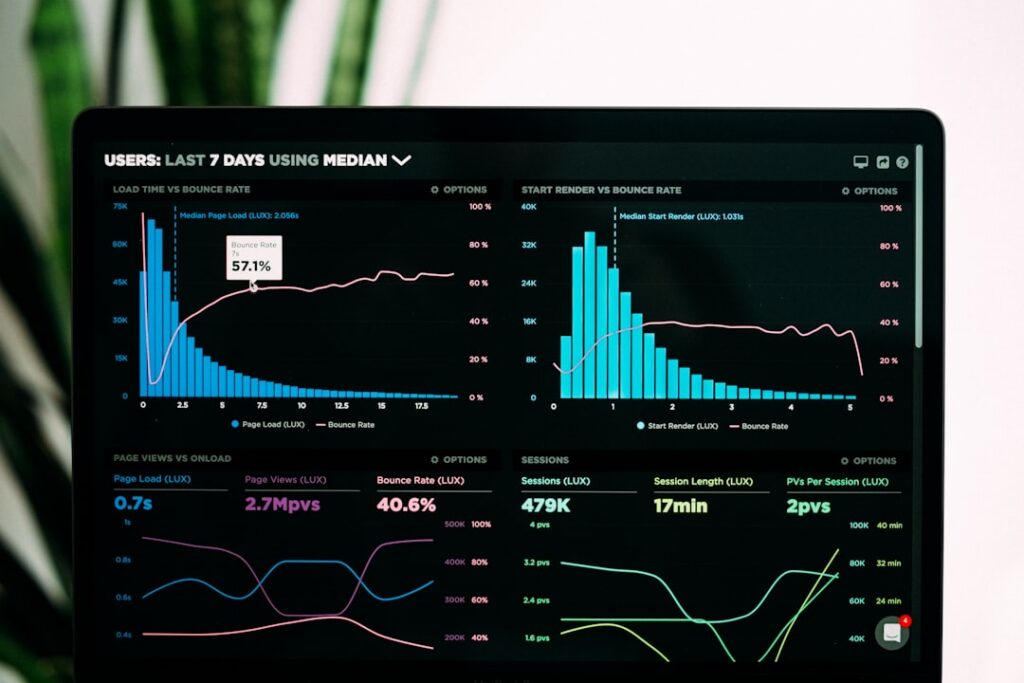
Step 4: Design Your Dashboard Layout
Keep it simple:
– Top row: High-level KPIs
– Middle: Trend charts and AI mention timelines
– Bottom: Deep dives (sentiment, competitor breakdowns)
Use consistent colours and clear labels. Incorporate drill-downs so team members can click from a headline metric into detailed reports. Remember, your KPI tracking AI insights must be interpretable at a glance.
Step 5: Automate Data Refresh and Alerts
Static dashboards gather dust. Set up:
– Hourly or daily data pulls
– Threshold alerts when metrics spike or dip
– Scheduled email digests for stakeholders
Automation ensures your KPI tracking AI system is always up to date, so you react faster to emerging trends rather than chasing stale numbers.
Best Practices for AI-Driven Dashboards
• Keep metrics relevant. Too many KPIs dilute focus.
• Contextualise with benchmarks and targets.
• Balance high-level views with drill-down capabilities.
• Document data sources and transformations.
• Review the dashboard monthly and adjust as needed.
Need another boost to your setup? Optimize your campaigns with KPI tracking AI
Real-World Example: From Data Overwhelm to Clarity
Meet Verde Coffee Co., a small roastery in London. They struggled to track how AI chatbots mentioned their specialty blends. After building an AI-powered dashboard, they discovered:
– A 40% spike in AI-generated queries for “single-origin roast”
– Missed opportunities in competitor comparisons
– Email open rates correlated with AI referral patterns
By fine-tuning their messaging and promotions based on these insights, Verde saw a 25% increase in online sales in three months.
What Users Say
“Implementing the AI Visibility Tracking platform was a game-changer. We finally see how chatbots talk about our brand—no more guesswork.”
— Sarah Patel, Founder of EcoWear
“Dashboard setup was straightforward, and the real-time alerts keep our team ahead of trends. Highly recommend for any small business.”
— Marcus Ledbetter, Marketing Lead at GreenLeaf Garden Supplies
“Our ROI jumped 30% once we started acting on the KPI tracking AI insights. It’s like having a digital marketing co-pilot.”
— Elena Rossi, CEO of Velvet Petals Florist
Conclusion and Next Steps
Building an AI-powered marketing analytics dashboard doesn’t have to be overwhelming. By defining clear objectives, integrating diverse data sources, and automating insights, you’ll unlock the full potential of KPI tracking AI to drive growth and efficiency.
Ready to transform your data into action? Discover KPI tracking AI for your small business
Share
Related posts