Why AI Usage Metrics Matter for Small Businesses
You’ve embraced AI. Nice move. But do you know what your AI actually costs? Without small business AI monitoring, you’re flying blind. You might be burning budget on forgotten bots. Or missing peak times when demand spikes. Metrics give you clarity. They show:
- How many AI units you use each week.
- Which features eat the most credits.
- When and where usage surges.
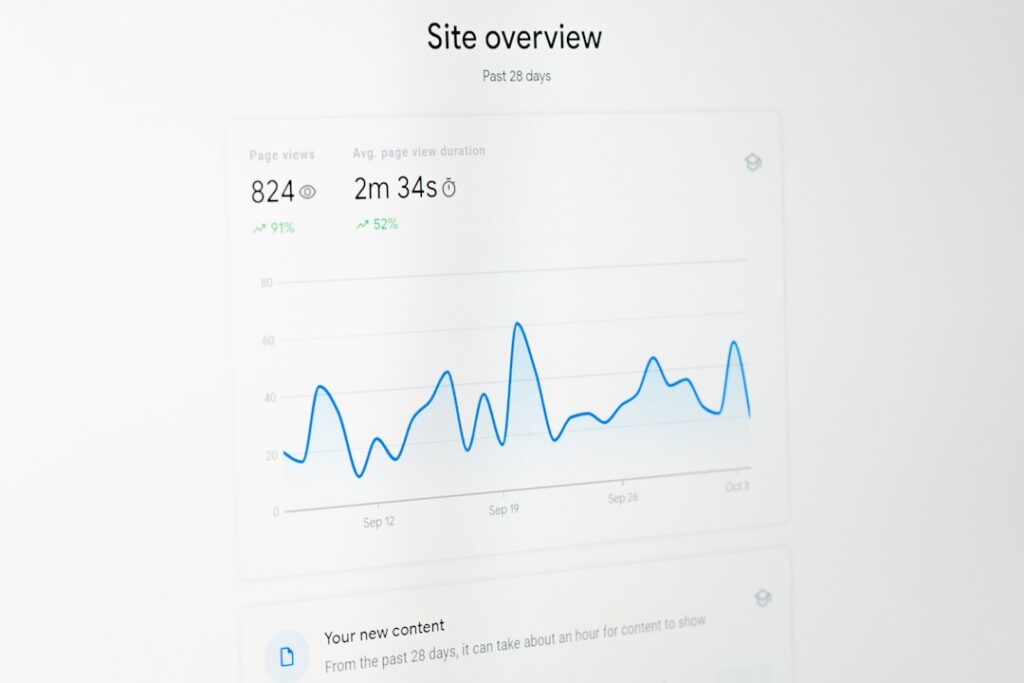
Think of AI usage metrics as your financial dashboard. No more surprises on the invoice. No more guesswork. Instead, you get real data. You see the true return on your AI investments. And you spot inefficiencies fast.
Key Metrics in Small Business AI Monitoring
What should you track? Here are the four pillars of small business AI monitoring:
- Consumption by Feature
Break down usage by module—like chatbots, image generators or document parsers. - Consumption by Project
See which workflows or automations are credit hogs. - Consumption by Time
Detect daily or weekly patterns. Weekends vs weekdays. Morning rush vs evening lull. - Consumption by Team or Folder
Allocate costs to departments or client projects.
Consumption by Feature
Imagine a graph that shows how many AI units went to your chatbot last month. Next to it, a line for image analysis. Now you can decide: do you trim chatbot replies? Or shift to a lighter vision model? That’s small business AI monitoring in action.
Consumption by Project
Got ten active automations? One might be silently chewing through credits. Use a table view—just like in enterprise dashboards—to list each project. Spot the outlier. Then tweak or retire the wasteful process.
Consumption by Time
Peak at 2 pm? Or midnight? Time filters help you:
- Batch heavy tasks during off-peak hours.
- Avoid overage fees by shifting loads.
- Plan maintenance windows when usage dips.
Consumption by Team or Folder
Split costs by department or client. Assign a “folder” to each team. Then monitor consumption pools. If Marketing overshoots, you know who to nudge.
Comparing Dashboards: Big Tools vs Small Business AI Monitoring Solutions
Large analytics platforms boast AI tracking. They have deep reports. But they often feel clunky. And pricey. Here’s how they stack up:
• Enterprise Suite
– Pros: Very detailed, cross-product insights.
– Cons: Steep learning curve. High licence fees.
• Generic SEO Tools
– Pros: Great for web traffic data.
– Cons: No AI‐centric metrics.
• Social Listening Platforms
– Pros: Brand mentions on social media.
– Cons: Zero AI consumption stats.
UiPath Insights: A Case Study
Take UiPath’s AI units consumption dashboard. It’s powerful. You see:
- Consumption by product (AI Center, Document Understanding, IXP).
- Tenant‐level breakdowns.
- Filtering by date, week, or hour.
But it’s built for large enterprises. You need a licence, and a tech team to set up connections between different UiPath modules. Not exactly plug-and-play for a small café or boutique.
Introducing AI Visibility Tracking for Small Businesses
Here’s where we come in. Our AI Visibility Tracking for Small Businesses tool is:
- Affordable for SMEs.
- Open-source at heart.
- Laser-focused on small business AI monitoring.
No complex installs. No naval-gazing interfaces. You get straight insights into your AI footprint. And you can:
- Track consumption per feature without jumping into ten menus.
- See real-time updates every four hours.
- Export reports in CSV or PDF, ready for your accountant.
Step-by-Step: Implementing Small Business AI Monitoring
Ready to set up your first dashboard? Follow along:
- Connect Your AI Services
Link your AI Centre, document parser or chatbot API keys. - Define Projects and Folders
Tag automations by client or department. - Select Key Metrics
Choose whether you care about units by feature or total spend per week. - Filter and Drill Down
Click on a graph segment to slice by day or hour. - Schedule Alerts
Get notified when usage crosses thresholds—say 80% of your monthly budget. - Export and Share
Download tables or charts. Embed them in your monthly review.
Easy. No PhD in data required.
Best Practices to Optimise AI Costs
Tracking is just half the battle. Then you optimise:
- Use pre-trained models where possible. Generative models cost more.
- Archive unused automations. Idle bots still report usage if mis-configured.
- Set daily or monthly caps. Enforce limits to prevent rogue usage.
- Rotate through lighter APIs. Spread heavy tasks across cheaper endpoints.
Small tweaks add up to big savings on that next bill.
Using Maggie’s AutoBlog to Boost Visibility
Metrics aren’t only about cost. You can also measure value. Enter Maggie’s AutoBlog. It uses the same AI engines you track. Here’s how it helps:
- Auto‐generates SEO and GEO-targeted blog posts.
- Aligns content topics with your customer searches.
- Lets you track which posts drive engagement—and which drain AI units.
By combining small business AI monitoring with Maggie’s AutoBlog, you:
- See ROI at the post level.
- Adjust topics to reduce rewrite cycles.
- Keep marketing budgets lean and focused.
Conclusion
Small business AI monitoring doesn’t have to be complex or expensive. With the right metrics and tools, you gain clarity on costs and performance. You spot wasteful processes. You optimise your AI budget. You even tie usage to tangible business outcomes, like blog traffic or chatbot satisfaction.
Ready to tame your AI costs and supercharge your insights?
Share
Related posts